Your files, ingested into memory.
OctaMem Injection is the desktop client that feeds your organisation's files into the OctaMem memory pipeline. Connect the folders and sources you already use, set the sync frequency once, and close it — ingestion runs server-side, continuously.
A quiet client. Always in sync.
Think of a cloud-drive client, but instead of mirroring files to a folder it feeds them into your organisation’s memory. It lives in the menu bar, syncs on your schedule, and stays out of the way.
- 01
Watches the folders you choose.
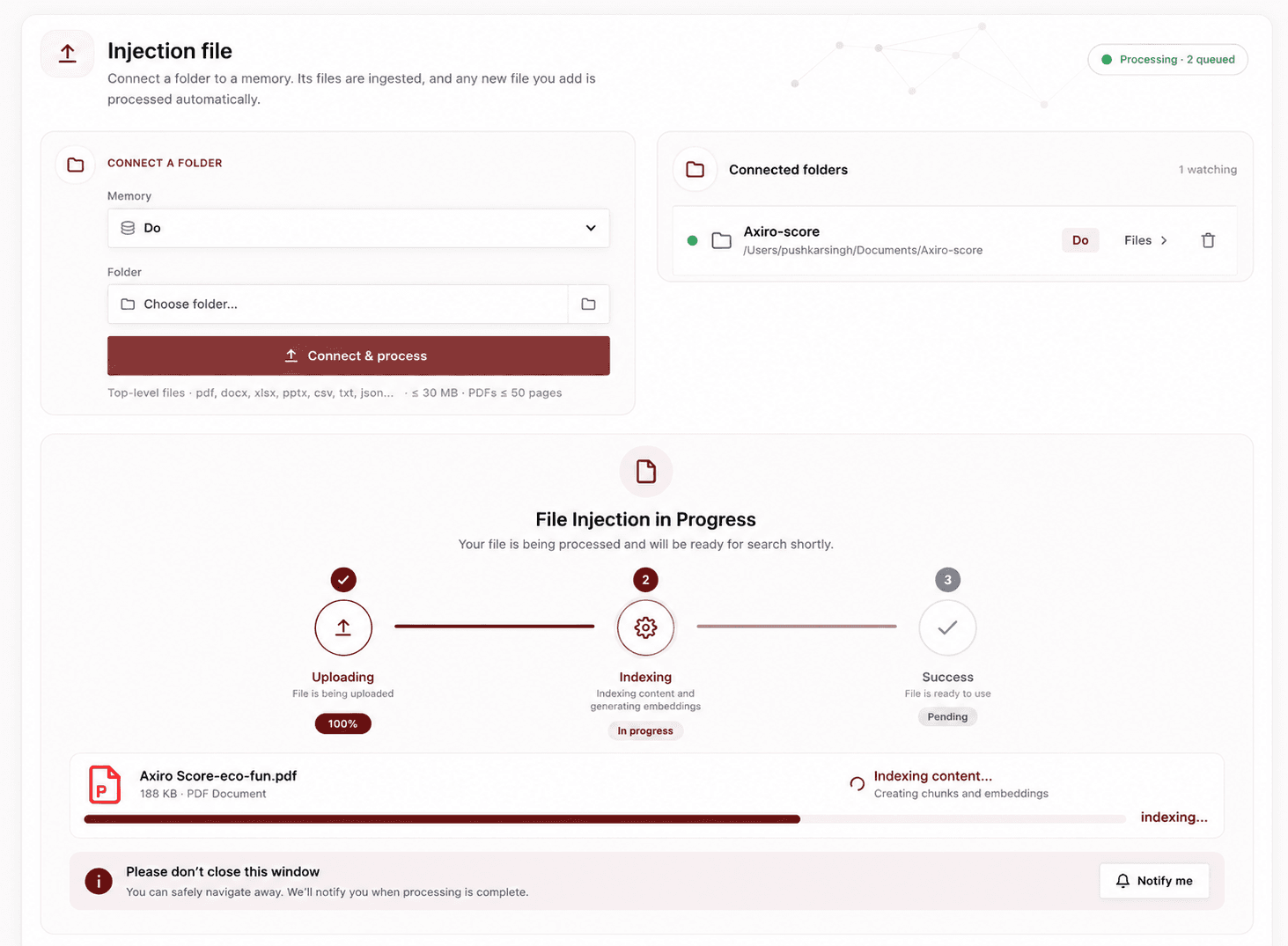
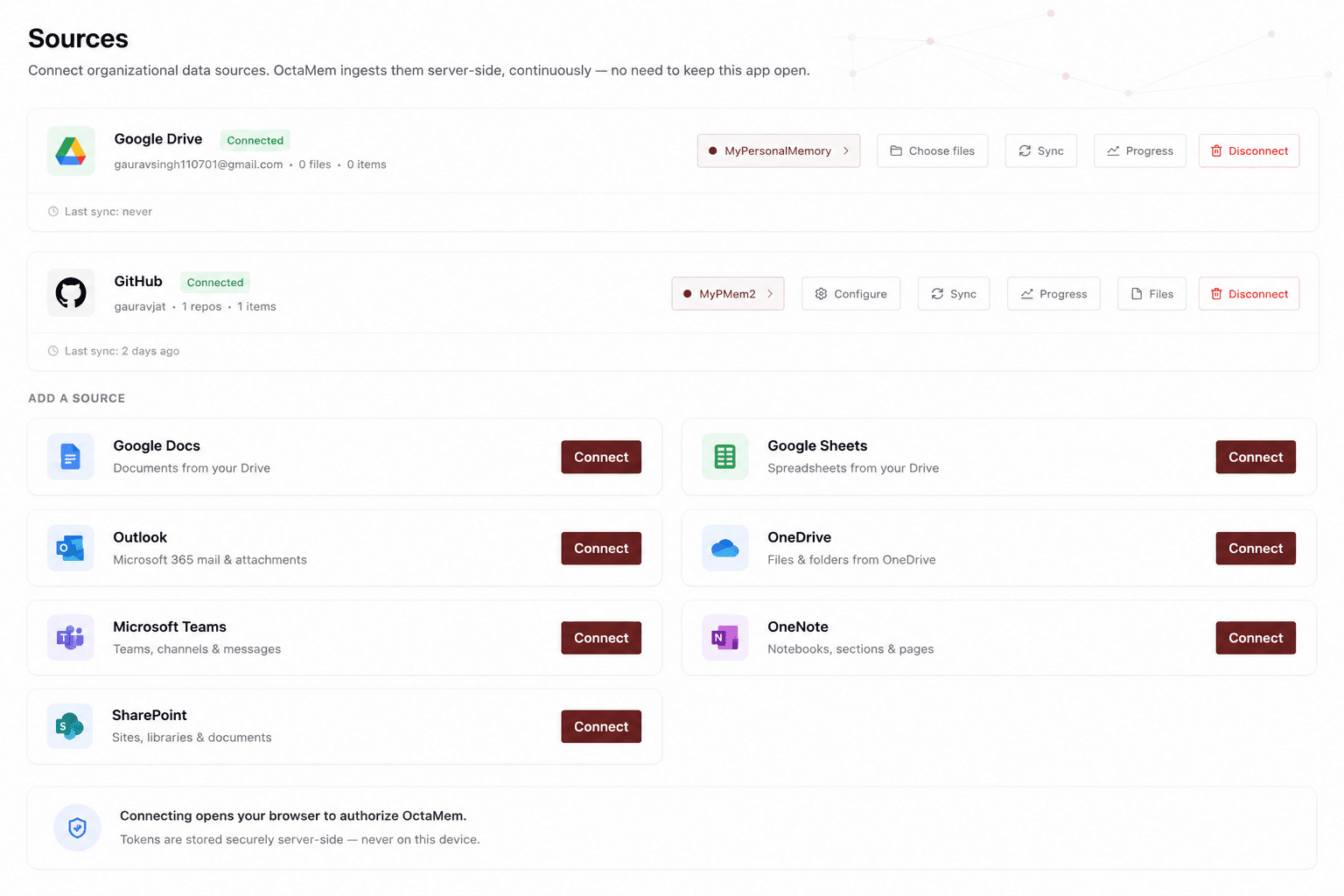
Point it at local folders and connected sources. A live watcher picks up every new and modified file — no manual uploads, no dragging things in.
- 02
Ingests server-side, continuously.
Files flow into the OctaMem memory pipeline in the background. Set the sync frequency once and close the app; ingestion keeps running without it open.
- 03
Turns files into typed memory.
Every ingested document becomes source-linked, typed memory your whole team and every AI agent can ask — with the access rules attached.
Security is the default posture.
Built for healthcare, legal, and finance, where the client that touches your files has to be as trustworthy as the memory behind it.
Keychain-only tokens
Sign in with OAuth (PKCE loopback). Access and refresh tokens live only in the OS keychain, encrypted — never written to disk in plaintext.
Soft-archive, never destroy
Deleted files are soft-archived in the local ledger, never hard-deleted, so the record of what was ingested stays intact and auditable.
No silent failures
Every fallible path is typed and surfaced. Errors are logged and recoverable — the app never quietly drops a file or a sync.
Reflect, never enforce
The desktop is a control plane; the server re-checks every request. Nothing the app shows can widen access beyond what your role already allows.
Menu-bar tray · global hotkey · ⌘K command palette · macOS today, Windows & Linux on the way
See the whole app.
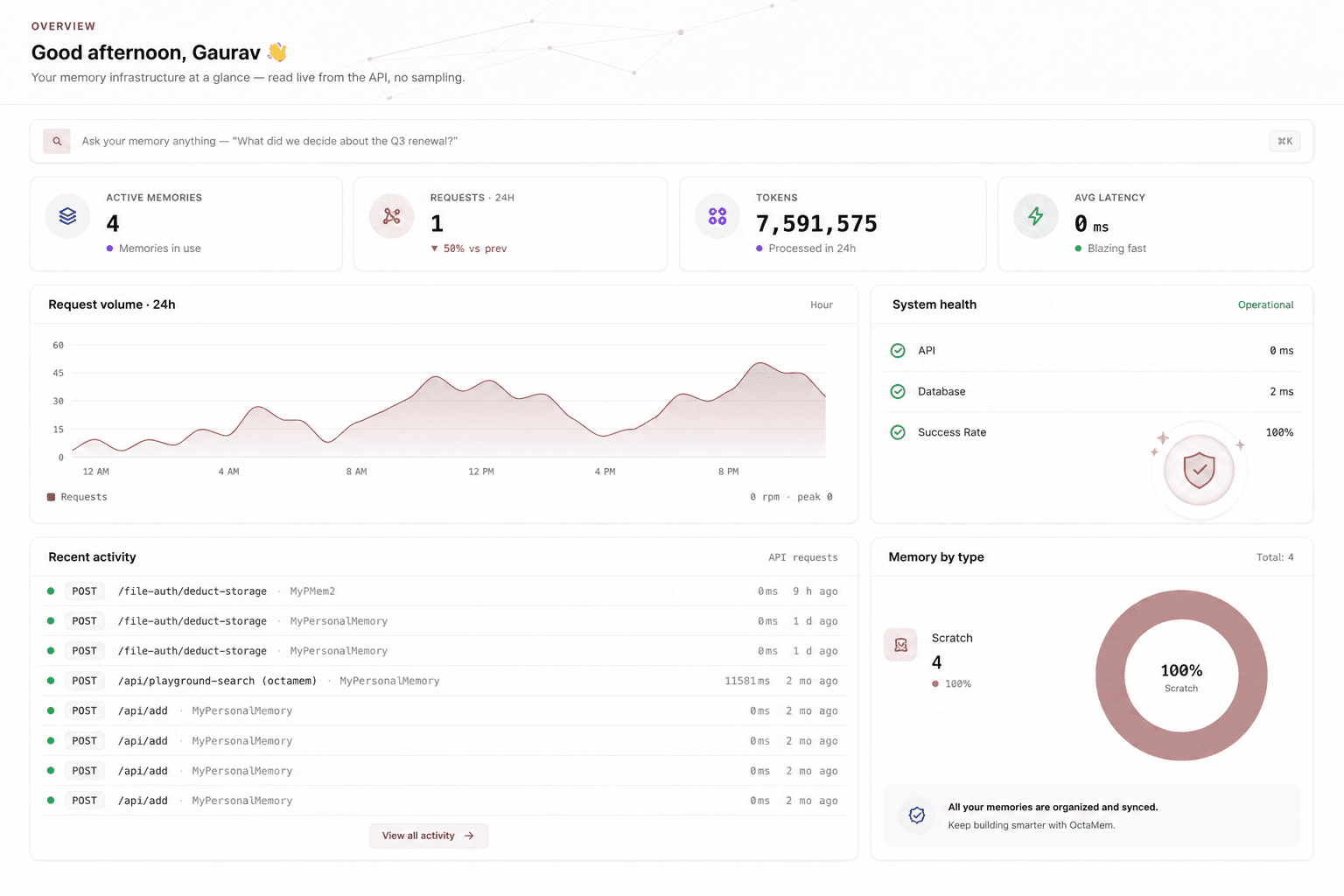
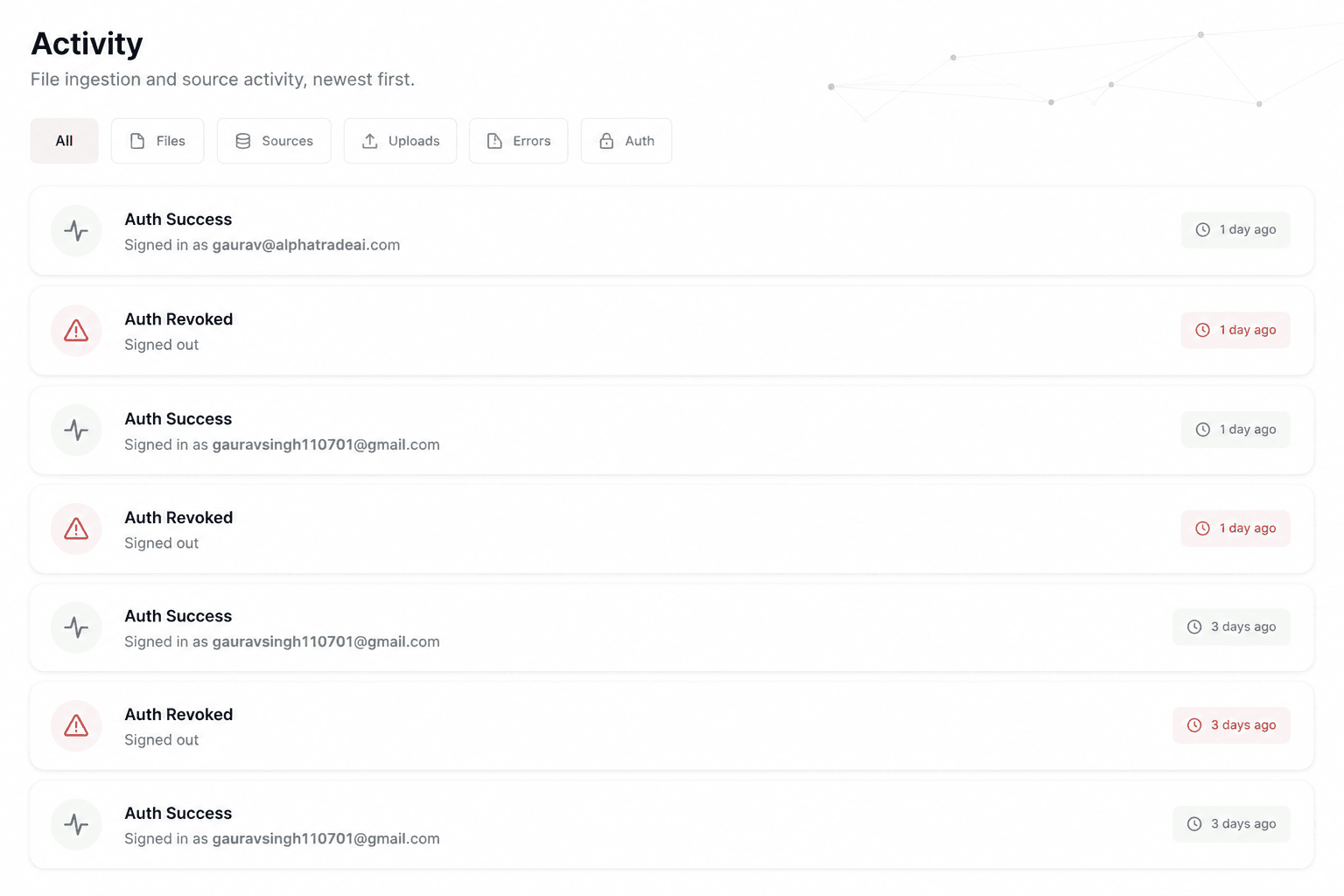
A dashboard for your memory, a one-folder ingestion flow, every source you connect, and a full activity log — the actual OctaMem Injection screens.
Get OctaMem Injection on your Mac.
macOS builds for Apple Silicon and Intel. Distributed as a .dmg — open it, drag OctaMem to Applications, and sign in with your OctaMem account.
OctaMem Injection 0.1.0-beta.1 · Apple Silicon recommended for most Macs